Creating a comfortable and productive home workspace is essential for anyone who works remotely or spends significant time on projects at home. The right setup can improve focus, reduce physical strain, and increase overall job satisfaction. Whether you have a dedicated room or a small corner to work in, these tips will help you design a space that meets your needs and supports your well-being.
Choose the Right Location
Finding the ideal spot in your home is the first step in building a home workspace. Consider areas that offer:
– Natural light: Sunlight can boost your mood and energy levels. A spot near a window is perfect.
– Quiet environment: Minimize distractions by choosing a location away from busy household traffic or noisy appliances.
– Space availability: Ensure there is enough room for your desk, chair, and any equipment you need.
If space is tight, get creative with corners, nooks, or even multipurpose furniture to carve out a functional area.
Invest in Ergonomic Furniture
Comfort plays a crucial role in maintaining productivity and preventing discomfort or injury. Here’s what to look for:
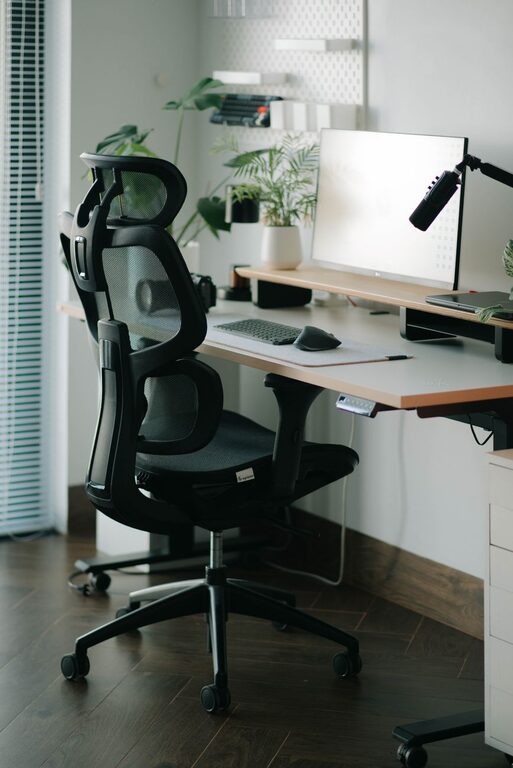
– Ergonomic chair: Choose a chair with adjustable height, lumbar support, and comfortable padding. Your feet should rest flat on the floor, and your back should be well supported.
– Desk height: Your desk should allow your arms to rest comfortably at a 90-degree angle when typing.
– Monitor placement: Position your computer screen at eye level, about 20 inches away, to avoid neck and eye strain.
Adjusting your furniture setup to fit your body’s needs makes long work hours more manageable.
Organize Your Workspace for Efficiency
An organized space helps reduce stress and saves time by keeping everything within easy reach.
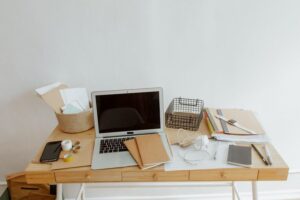
– Declutter regularly: Remove unnecessary items and keep only what you use daily.
– Use storage solutions: Shelves, drawers, and containers help keep documents and supplies tidy.
– Cable management: Use clips or ties to organize cords and prevent tangling, which can create a mess and potential hazards.
A clean and orderly desk encourages focus and makes it easier to find what you need.
Optimize Lighting
Proper lighting is important to reduce eye strain and create a pleasant atmosphere.
– Combine natural and artificial light: Use daylight when available and supplement it with adjustable desk lamps or overhead lights.
– Avoid glare: Position monitors away from direct light sources to prevent reflections.
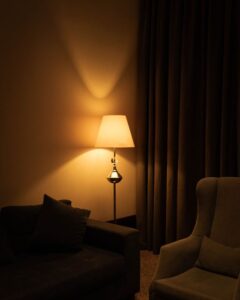
– Choose warm light: Softer, warm-toned bulbs tend to be easier on the eyes for longer periods.
Good lighting can significantly enhance comfort and productivity during your workday.
Personalize Your Space
Adding personal touches helps make your workspace inviting and can boost motivation.
– Decorate with plants: Greenery can improve air quality and reduce stress.
– Use artwork or photos: Display items that inspire or bring joy.
– Incorporate colors you like: Choose paint, accessories, or stationery in colors that lift your mood.
A workspace that feels uniquely yours encourages you to spend productive time there.
Minimize Distractions
Maintaining focus is a common challenge when working from home. Try these strategies:
– Set boundaries: Let household members know your work hours.
– Use noise-cancelling headphones: Block out ambient noise or listen to concentration-enhancing music.
– Limit digital interruptions: Turn off non-essential notifications or use apps that help you stay on task.
A distraction-free environment supports better concentration and efficiency.
Establish a Routine
Creating habits around your workspace usage boosts productivity and work-life balance.
– Define work hours: Start and stop at consistent times to maintain structure.
– Take regular breaks: Short breaks help refresh your mind and reduce fatigue.
– End each day by tidying your desk: Leaving your space neat prepares you for the next day.
Routines help reinforce your commitment to work while also protecting your personal time.
Keep Essential Tools Close
To stay productive, organize your workspace so everything you need is easily accessible.
– Stationery: Pens, notebooks, and other office supplies should be within arm’s reach.
– Technology: Keep chargers, external drives, and other devices ready.
– Reference materials: Store manuals, books, or notes nearby to avoid interruptions.
Having your tools handy reduces downtime and keeps your workflow smooth.
Maintain Good Posture and Move Around
Physical well-being is key to sustainable productivity.
– Practice good posture: Keep your back straight, shoulders relaxed, and avoid slouching.
– Use a standing desk or alternate between sitting and standing: This can help reduce stiffness.
– Incorporate stretches or short walks into your day: Moving regularly boosts circulation and reduces discomfort.
Paying attention to your body helps you stay energized and focused.
—
Designing an effective home workspace doesn’t require expensive equipment or a large room. By choosing a good location, investing in ergonomic furniture, organizing thoughtfully, and establishing healthy routines, you can create a comfortable environment that supports productivity and well-being. Take the time to tailor your space to your needs, and you’ll likely find your work-from-home experience much more enjoyable and efficient.