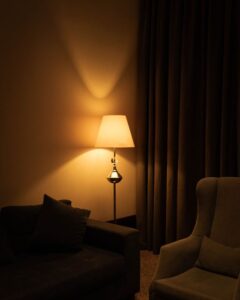

Creating a cozy and functional home workspace is more important than ever as many people continue to work remotely. A well-designed area can improve your focus, comfort, and overall productivity. Whether you have a dedicated room or just a small corner in your home, these tips will help you set up an inviting and efficient workspace.
1. Choose the Right Location
The first step in creating your home workspace is selecting an ideal spot. Consider these factors:
– Natural Light: Try to place your workspace near a window. Natural light reduces eye strain and can boost your mood.
– Quiet Area: Pick a quiet corner away from household noise or distractions.
– Space: Ensure there’s enough room for your desk, chair, and any tools you need without feeling cramped.
Even if space is limited, a small nook or a foldable desk can work well.
2. Invest in a Comfortable Chair
Comfort is key for long hours at your desk. A good ergonomic chair supports your back and encourages proper posture, reducing the risk of discomfort or injury. Look for chairs with adjustable height, lumbar support, and cushioned seating.
If buying a new chair isn’t possible, try adding a lumbar cushion or seat pad to improve comfort.
3. Optimize Your Desk Setup
Functionality is just as important as comfort. Here are some tips for your desk setup:
– Desk Size: Choose a desk that fits your work materials and tech devices without overcrowding.
– Monitor Height: Position your computer screen at eye level to prevent neck strain.
– Keyboard and Mouse: Keep these within easy reach to maintain a natural arm position.
Consider adjustable desks if you want to switch between sitting and standing.
4. Use Effective Lighting
Good lighting helps reduce eye fatigue and creates a pleasant workspace ambiance.
– Task Lighting: Use a desk lamp for focused lighting on your work surface.
– Ambient Lighting: Soft overhead or wall lighting can warm up the room.
– Avoid Glare: Position lights to avoid screen glare or harsh shadows.
Warm light bulbs (around 2700K to 3000K) tend to create a cozy atmosphere.
5. Personalize Your Space
Adding personal touches can make your workspace feel welcoming and inspiring.
– Plants: Indoor plants improve air quality and bring a fresh look.
– Artwork or Photos: Display images that motivate or relax you.
– Decorative Items: Use a few tasteful items such as candles, figurines, or a stylish clock.
Be careful not to overcrowd your workspace—keep it balanced between personality and simplicity.
6. Keep It Organized
An organized workspace helps clear your mind and increases efficiency.
– Storage Solutions: Use shelves, drawers, or baskets to keep supplies tidy.
– Cable Management: Use clips or sleeves to prevent tangled cords.
– Daily Cleaning: Spend a few minutes each day tidying your desk to maintain order.
Labeling boxes or files can also save time when searching for materials.
7. Minimize Distractions
Creating a distraction-free zone enhances focus and work quality.
– Noise Control: Use noise-canceling headphones or calming background music.
– Limit Phone Usage: Keep your phone out of reach or silent while working.
– Set Boundaries: Let family or roommates know your working hours to reduce interruptions.
8. Include Ergonomic Accessories
Small ergonomic additions go a long way in comfort.
– Footrest: Supports your legs and improves posture.
– Wrist Rest: Reduces strain when typing or using the mouse.
– Monitor Stand: Helps position your screen at the right height.
These items are affordable and can make your workday more comfortable.
9. Incorporate Break Areas
If space allows, adding a small area to take breaks can refresh your energy:
– Comfortable Chair or Cushion: For stretching or reading away from your desk.
– Water or Snack Station: Encourages healthy habits and short breaks.
Taking regular breaks is essential to maintain productivity and avoid burnout.
10. Upgrade Technology Thoughtfully
Reliable technology supports efficient work but avoid clutter with careful choices:
– Wireless Devices: Reduce cord clutter with wireless keyboards, mouse, or headphones.
– Multi-Port Chargers: Keep devices charged without many cables.
– High-Speed Internet: Ensure your Wi-Fi is strong and steady.
Invest in what enhances your workflow while keeping your workspace neat.
—
Final Thoughts
Crafting a cozy and functional home workspace may take some planning and adjustments, but the benefits are worth it. Start with basics like the right lighting and ergonomic furniture, then personalize and organize your space to fit your needs. Remember, comfort and practicality work best when balanced together. With these tips, you’ll build a workspace that supports your focus, well-being, and creativity in equal measure. Happy working!